

Overview
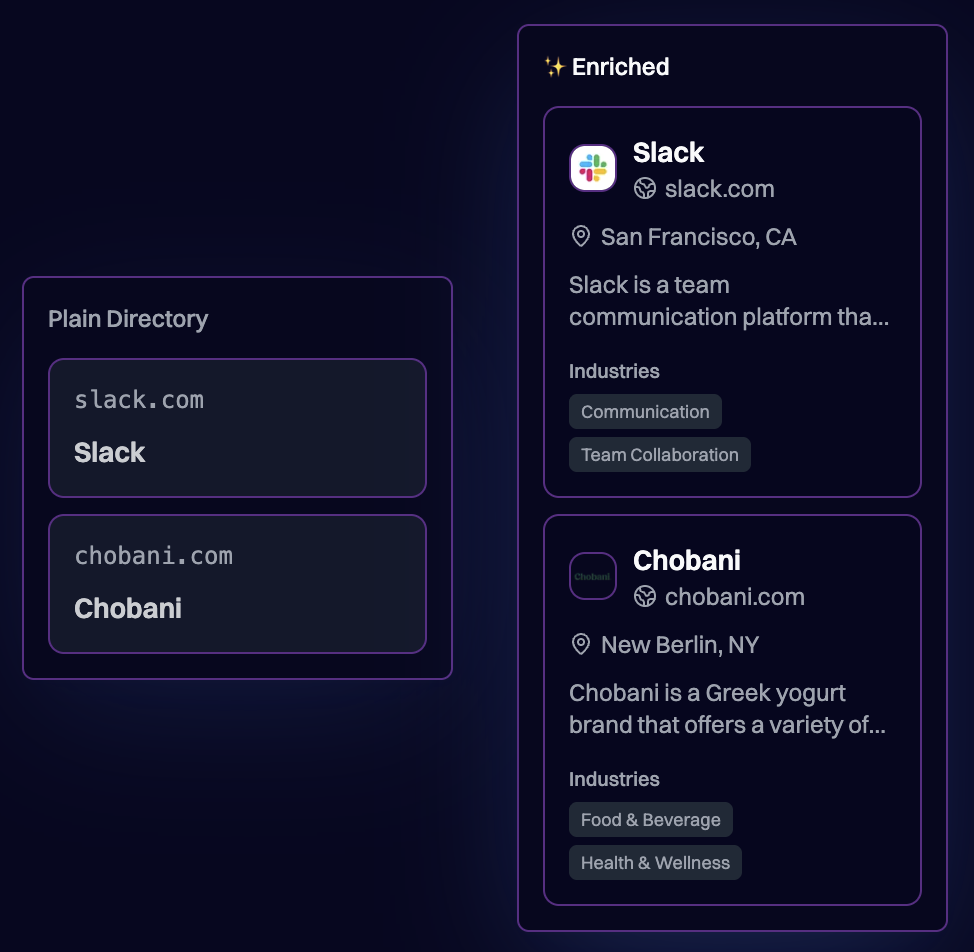
Transform basic lead information (email or domain) into rich company profiles with logos, colors, industry classification, and social links—all automatically. When your users interact with organizations in your CRM, they typically start with minimal data: an email address, a company name, or a domain. Brand.dev enriches these records with:- Company logos for visual recognition in contact lists
- Phone numbers and addresses for complete contact profiles
- Social media links (LinkedIn, X, etc.) for outreach
- Industry classification for segmentation and reporting
- Company descriptions for context at a glance
Prerequisites
- A Brand.dev API key
- A CRM or contact management application
Implementation
1. Trigger Enrichment
Enrich lead data when a new contact or organization is created. Extract the domain from the user’s email or use the company domain directly:The Retrieve by Email endpoint automatically rejects disposable and free email providers (Gmail, Yahoo, etc.) to avoid false enrichments.
2. Map to CRM Fields
Map Brand.dev response fields to your CRM’s data model:| Brand.dev Field | CRM Field |
|---|---|
title | Company Name |
description | Company Description |
phone | Phone Number |
logos[0].url | Company Logo |
address.street, city, country | Address |
socials (type: linkedin) | LinkedIn URL |
socials (type: x) | X (Twitter) URL |
industries | Industry/Segment |
3. Display Enriched Profiles
Use the enriched data to create visually rich organization profiles:Best Practices
1. Enrich on Create, Not on View
Trigger enrichment when leads are created or imported, not every time a profile is viewed. Cache the enriched data in your database.
2. Handle Missing Data
Not all companies have complete profiles. Display graceful fallbacks for missing logos, phone numbers, or addresses.
3. Allow Manual Overrides
Let users edit enriched fields. Their corrections should take precedence over API data on future views.
Related Resources
Retrieve by Email
Enrich leads from email addresses
Retrieve by Domain
Enrich from company domains
NAICS Classification
Classify companies by industry
Onboarding Flows
Pre-fill signup forms with brand data