

IMAGE() formula — no code required.
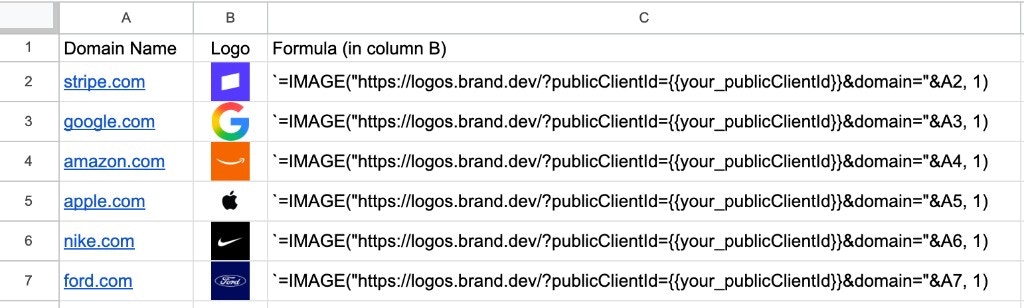
Basic Usage
Use the built-inIMAGE() function with a Logo Link URL:
Get your API key from the Brand.dev dashboard to get started.
Dynamic Domains
Reference a cell containing the domain instead of hardcoding it. For example, if cellA2 contains stripe.com:
Sizing
Set the second parameter ofIMAGE() to control how the logo fits in the cell:
| Mode | Value | Behavior |
|---|---|---|
| Fit to cell | 1 | Resizes the image to fit inside the cell, maintaining aspect ratio |
| Stretch to fit | 2 | Stretches or compresses the image to fill the cell, ignoring aspect ratio |
| Original size | 3 | Uses the original image dimensions (may cause cropping) |
| Custom | 4 | Specify custom height and width in pixels as additional parameters |